
Login at TK889 — Access Your Account and Game Lobby
Use TK889 login to return to your account, open the game lobby, manage BDT payments and check active promotions. Enter the identifier connected to your profile and your password, then complete any verification displayed by the platform. Every session uses the same TK889 account and BDT balance.
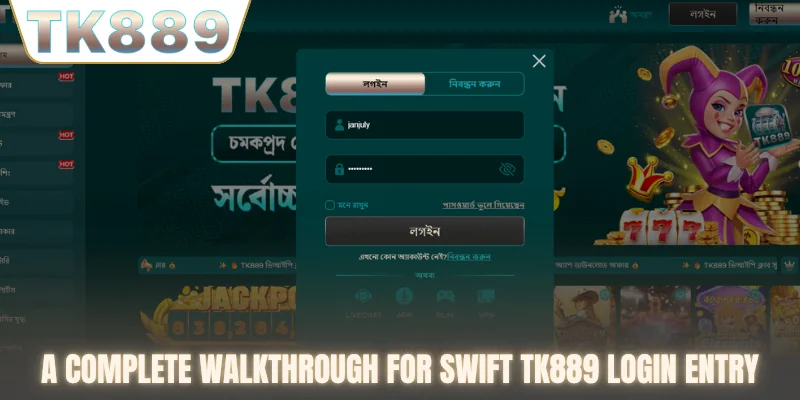
How to log in to TK889
Logging in uses the same +880 mobile number you registered with.
- Open tk889game.org and select Login.
- Enter the mobile number registered to your account in the +880 format shown on the form.
- Type your TK889 password.
- Tick Remember me only on a personal device.
- Complete any verification, such as two-factor authentication, and enter the member area.
TK889 login details at a glance
The main login details are summarised below.
| Field | What to enter | Tip |
|---|---|---|
| Mobile number | The Bangladesh number used at registration, with the +880 country code | Enter it in exactly the format shown on the form |
| Password | Your current TK889 password | Passwords are case-sensitive; check for extra spaces |
| Remember me | Keeps you signed in on this device | Use it only on a phone or computer that nobody else uses |
| Two-factor authentication | An extra code after your password, if enabled | Turn it on for stronger account protection |
Login on mobile and desktop
The same TK889 account works on every device. On a phone, open tk889game.org in Chrome or Safari, or launch the home-screen shortcut described on the TK889 app page. On a computer, use a current browser and keep only one active session if you share the device. Your balance, bet history and promotions stay linked to the account, not to the device.
What you can access after login
The member area connects your account with the complete TK889 platform. From there you can open the TK889 game categories, check wallet options in BDT, review transaction history and see promotions available to your profile.
- Play Hi-Lo, Pirate Fishing, Mines Gold and the other signature games.
- Check bKash, Nagad and Rocket when displayed in the cashier.
- Review deposit and withdrawal status.
- Open mobile play through the TK889 app route.
- Read the current conditions for TK889 bonuses.
After login: check before you play
A few quick checks after signing in help you avoid problems later. Confirm that the balance shown matches your last session, look at the transaction history for any pending deposit or withdrawal, and open the promotions area to see whether a bonus with wagering conditions is active on your account. If a bonus is active, its conditions apply before a withdrawal can be completed. Finally, decide on the stake and the session length you are comfortable with before opening a game.
Fix common TK889 login problems
Incorrect password
Check uppercase and lowercase characters, remove accidental spaces and use the current password. If the error remains, choose the password-recovery option instead of submitting repeated guesses.
Forgotten password
Select Forgot password? on the TK889 login screen, enter the registered contact detail and follow the code or reset link you receive. If you cannot complete recovery, contact TK889 support, which is available 24/7. Do not create a duplicate account to bypass recovery.
Verification code not received
Confirm the phone number or email, check the spam folder and wait for the active request to complete. Repeated requests can invalidate an earlier code.
Page does not load
Refresh once, check your internet connection and reopen tk889game.org from a current browser. If the problem continues, record the error and time before contacting support.
Reset your TK889 password step by step
If you have forgotten your password, you can reset it in a few steps.
- Select Login, then choose the forgotten-password option.
- Enter the mobile number or email registered to your account.
- Wait for the verification code or reset link and use it once.
- Create a new password that you have not used before.
- Sign in again and review recent account activity.
Why an account may be temporarily locked
Several incorrect password attempts in a row, a login from an unusual location or a pending verification request can pause access for security reasons. Wait before trying again, then use password recovery rather than guessing. If the lock remains, contact support with the time of the attempt and the device you used.
Keep your TK889 account protected
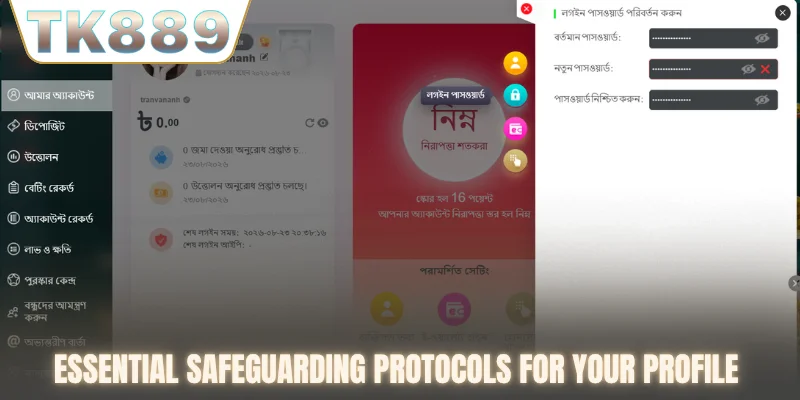
Use a unique password, keep verification codes private and enable two-factor authentication for an extra layer of protection. Always check the domain before entering login details. Log out after using a shared device and avoid saving the password in a browser profile that other people can open.
Recognise the correct login route
Begin from tk889game.org and use the navigation supplied by the platform. Do not enter TK889 credentials into an unrelated download page, message link or copied form.
Review account activity
Check recent login and payment history. If you see an action you do not recognise, change the password through the official account route and contact support with the relevant time and device details.
TK889 login questions
Can I log in on mobile?
Yes. Open TK889 from an Android or iPhone browser, or follow the current mobile access instructions on the app page.
Can I use the same account on desktop and mobile?
Use the same registered TK889 account unless the platform displays a device-specific restriction.
Where do I go after login?
Open the game lobby, choose a signature title or category, and confirm your planned spending before starting.
How long does a login session last?
Sessions end after a period of inactivity or when you log out. On a shared device, always log out manually after play.
Can I change my login details?
Password changes are available from the account area. Changes to a registered phone number or email may require verification through support.
Why does TK889 ask for a verification code?
A code may be requested when you log in from a new device, after several failed attempts or before sensitive actions such as a withdrawal. It confirms that the person signing in controls the registered phone number or email.
Conclusion
TK889 login takes you straight back to your balance, bonuses and favourite games on mobile or desktop. Use your registered +880 number and a private password, complete any verification code when asked, and log out on shared devices so your account stays yours.
Need a new account? Register at TK889. For payment status or account assistance, use the TK889 contact page.